KÜB
KÜB
A vibe coded interactive 3D Rubik's cube.
duration
1 week
tools
Claude / Figma
my role
UX Designer, Creative Director
KÜB
A vibe coded interactive 3D Rubik's cube.

savr
A smart activity discovery app for LA parents
duration
1 week
tools
Figma / DALL-E / Pen & Paper
my role
Solo student project for Springboard UX Bootcamp X Bitesize UX
The Rubik's cube has been captivating people for decades, which made it the perfect canvas for a portfolio piece. The goal was to demonstrate real 3D interaction design skill.
How do you make a 3D object feel physical to someone touching a flat screen with no coding experience and no external 3D libraries?
The Rubik's cube has been captivating people for decades, which made it the perfect canvas for a portfolio piece. The goal was to demonstrate real 3D interaction design skill.
How do you make a 3D object feel physical to someone touching a flat screen with no coding experience and no external 3D libraries?
I used Claude to work through the technical implementation: projection, lighting, hit detection, and slice rotation, but every design decision was mine to define. What interaction model feels intuitive? What makes this feel good, not just correct?
The competitors
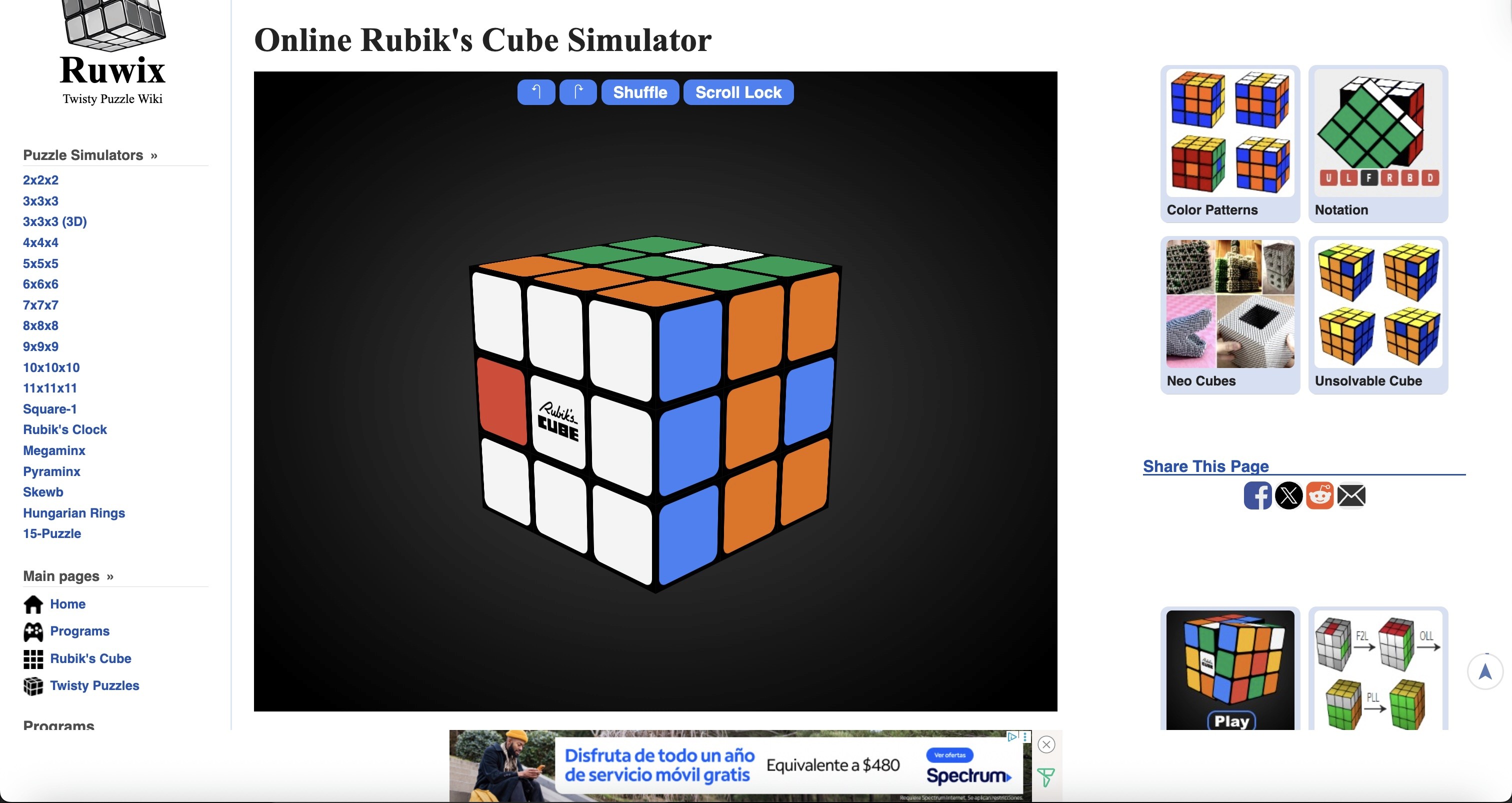
Ruwix
Ruwix is a long-standing educational platform that combines tutorials, solvers, timers, and puzzle simulators. While it offers extensive learning resources, its interface prioritizes functionality over a modern, game-focused experience.
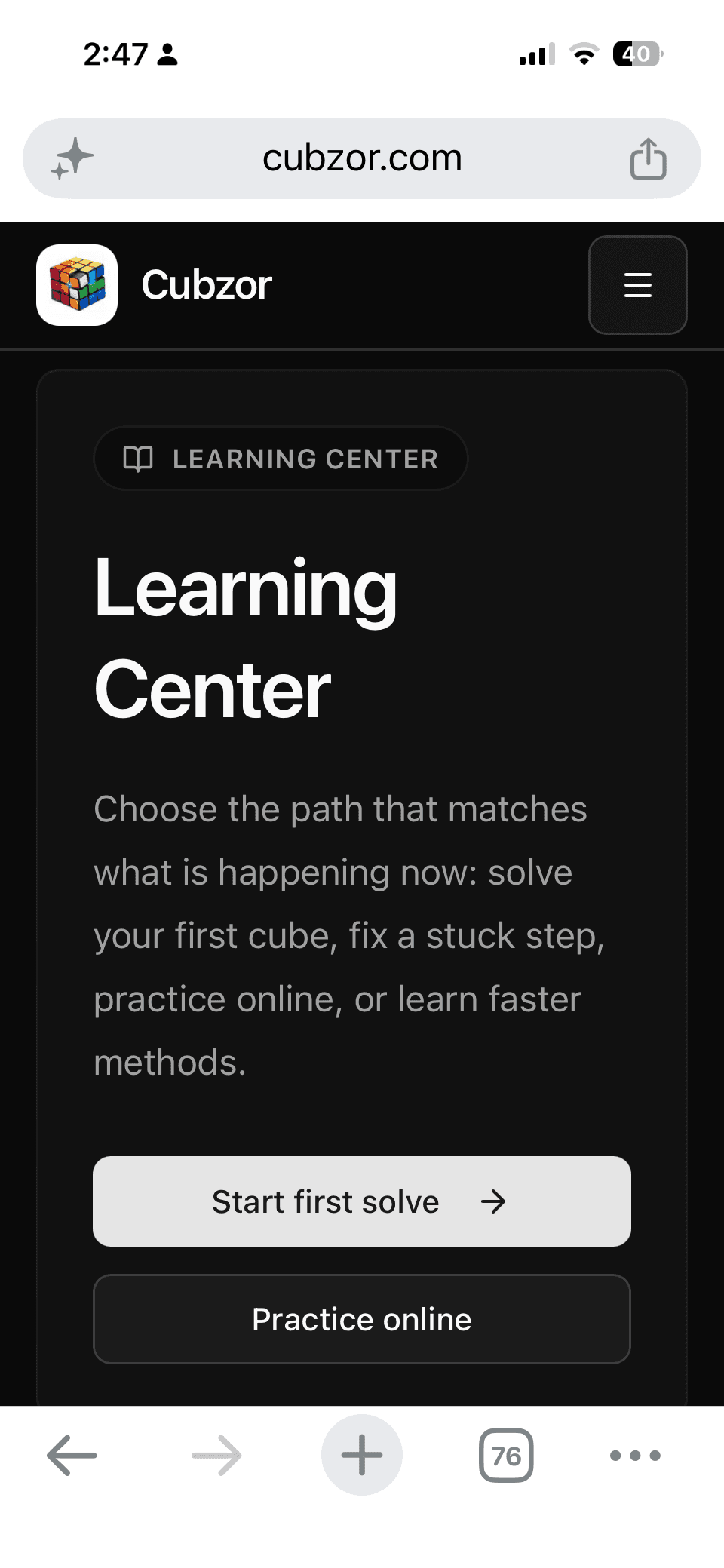
Cubzor
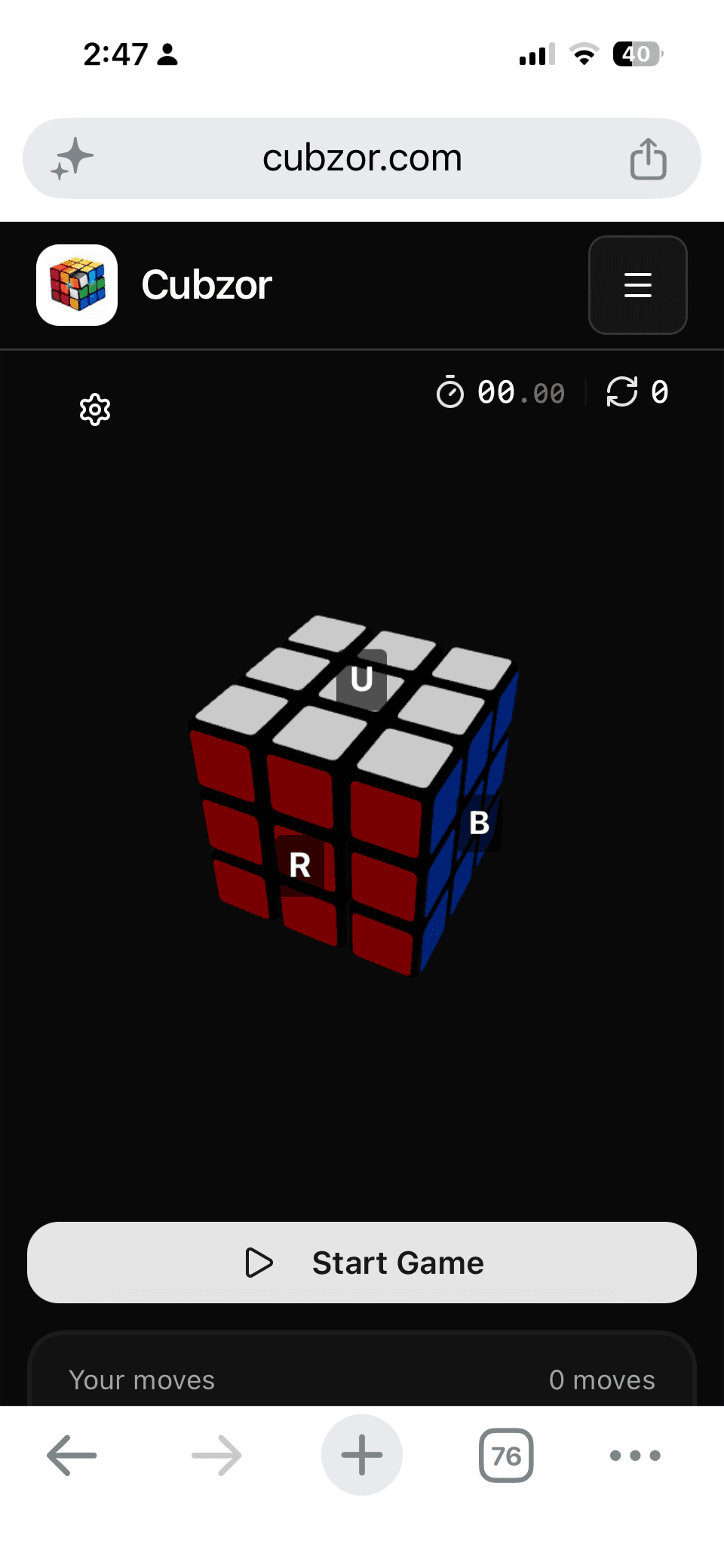
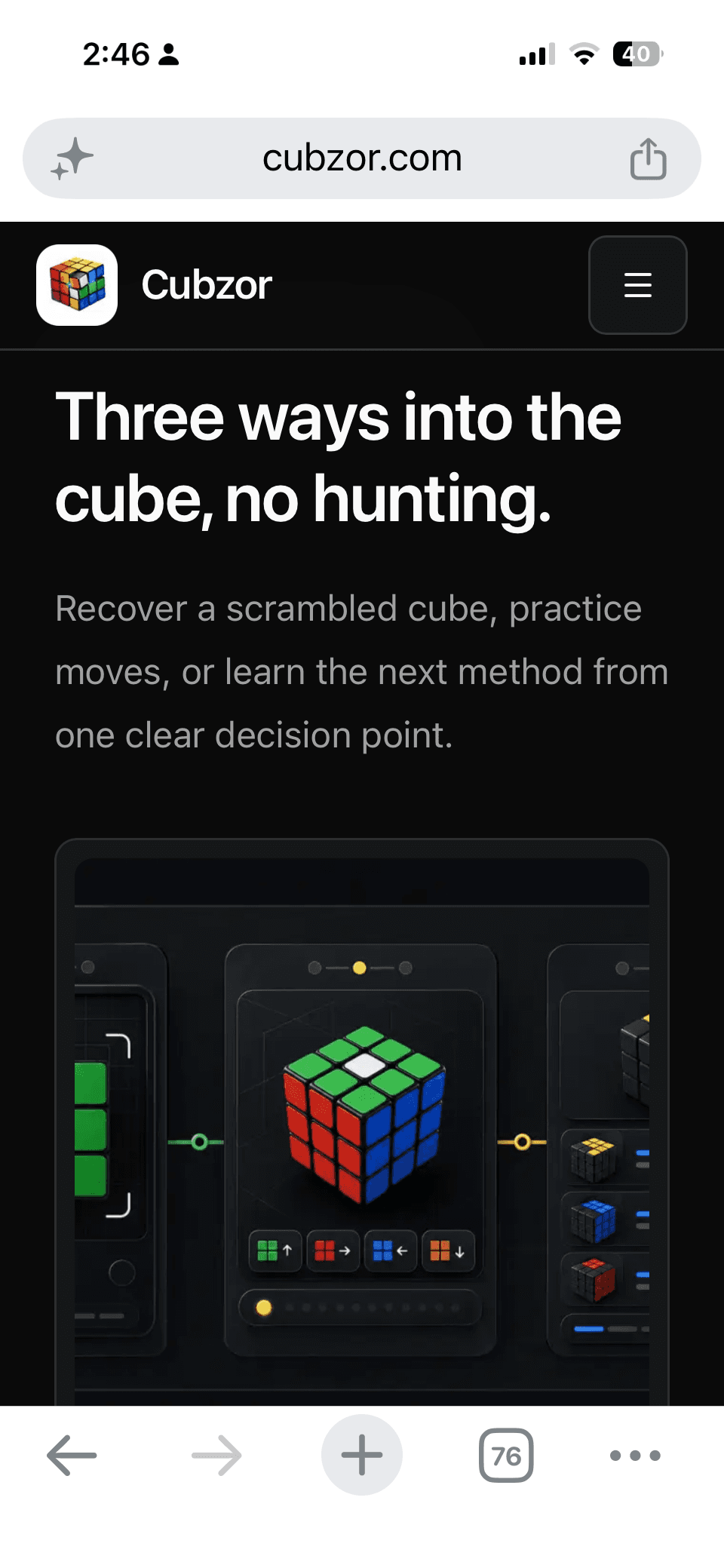
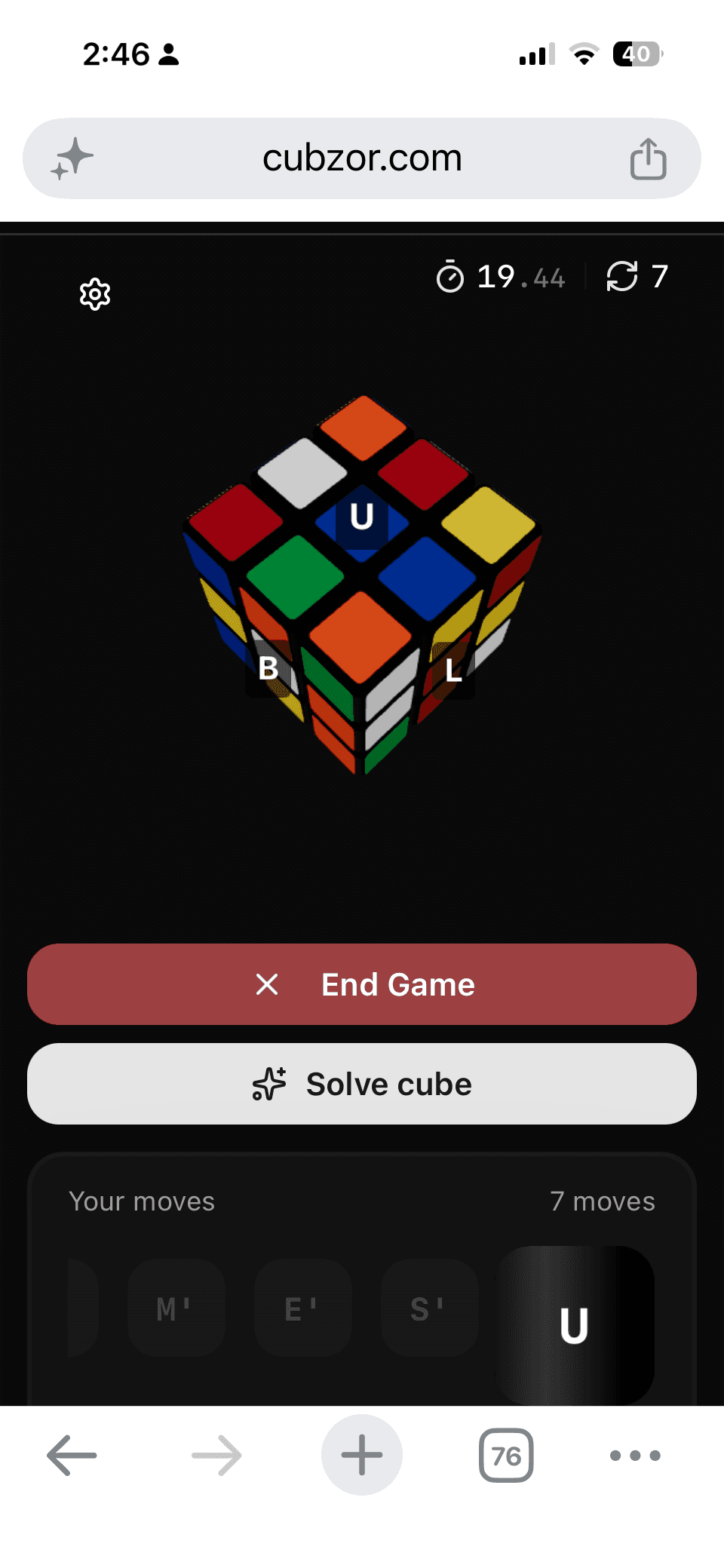
Cubzor provides a modern browser-based cube experience that combines virtual cube play, solving tools, and guided learning. Its streamlined interface and responsive design make it one of the strongest web-based competitors.
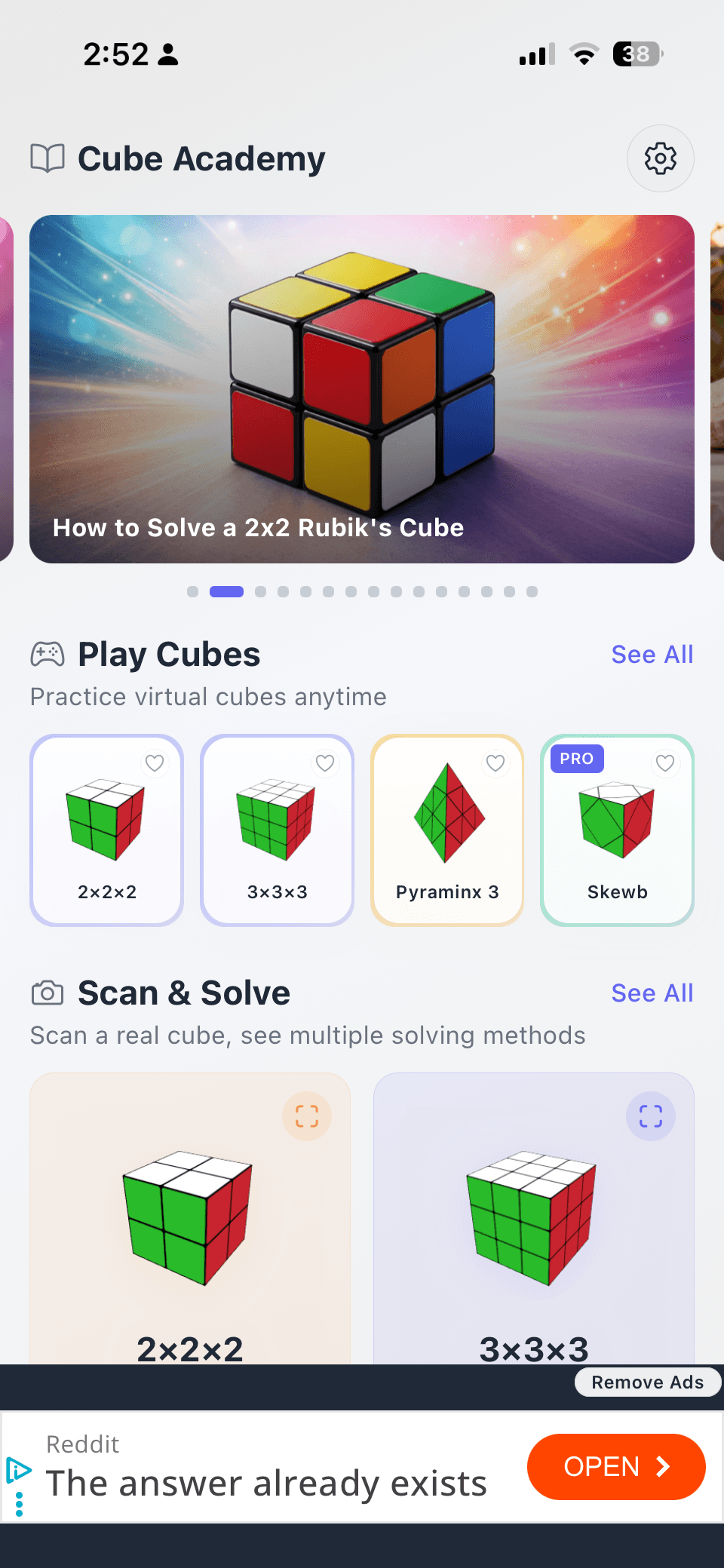
Cube Solver
Cube Solver is a mobile-first application that helps users solve physical Rubik's Cubes through camera scanning and step-by-step instructions. Its focus is on utility and solving assistance rather than interactive gameplay.
key take aways
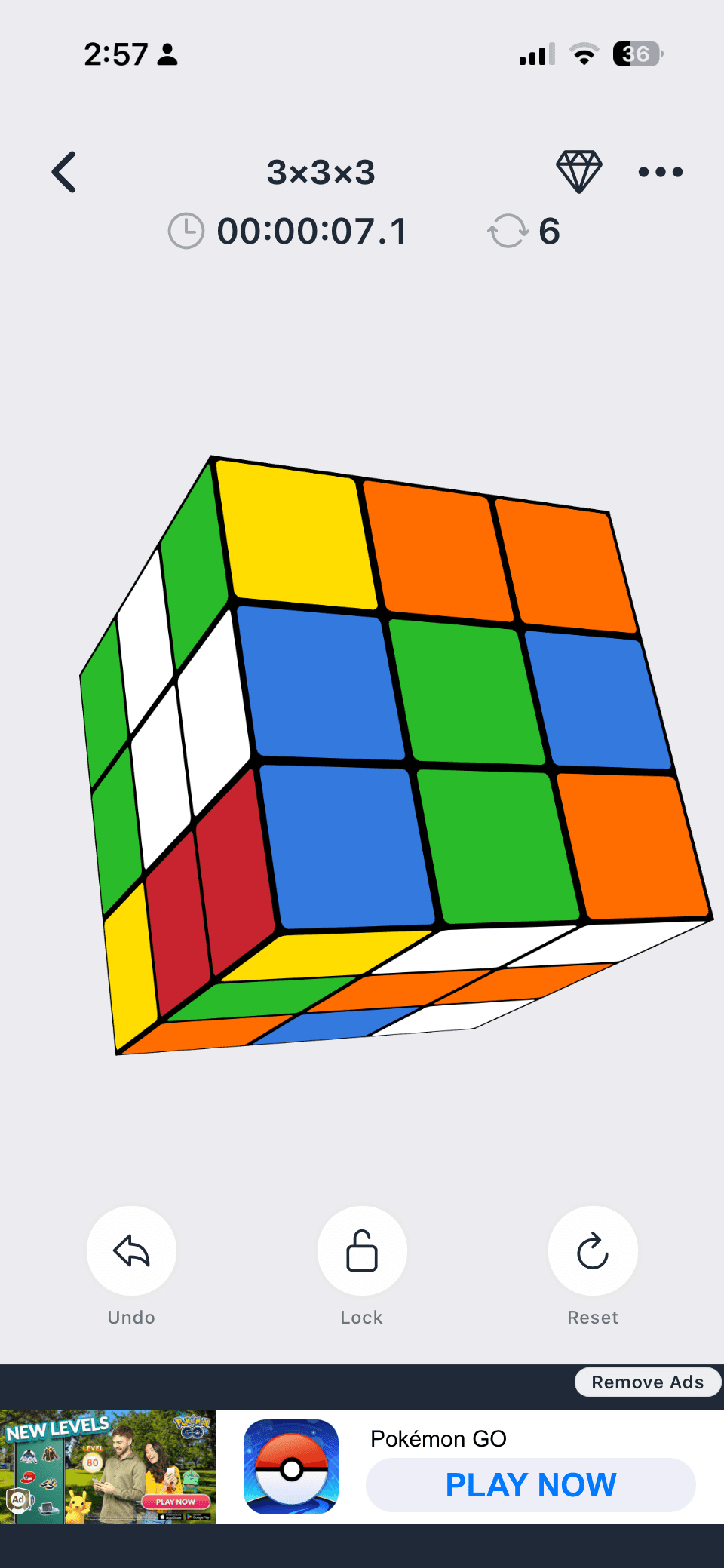
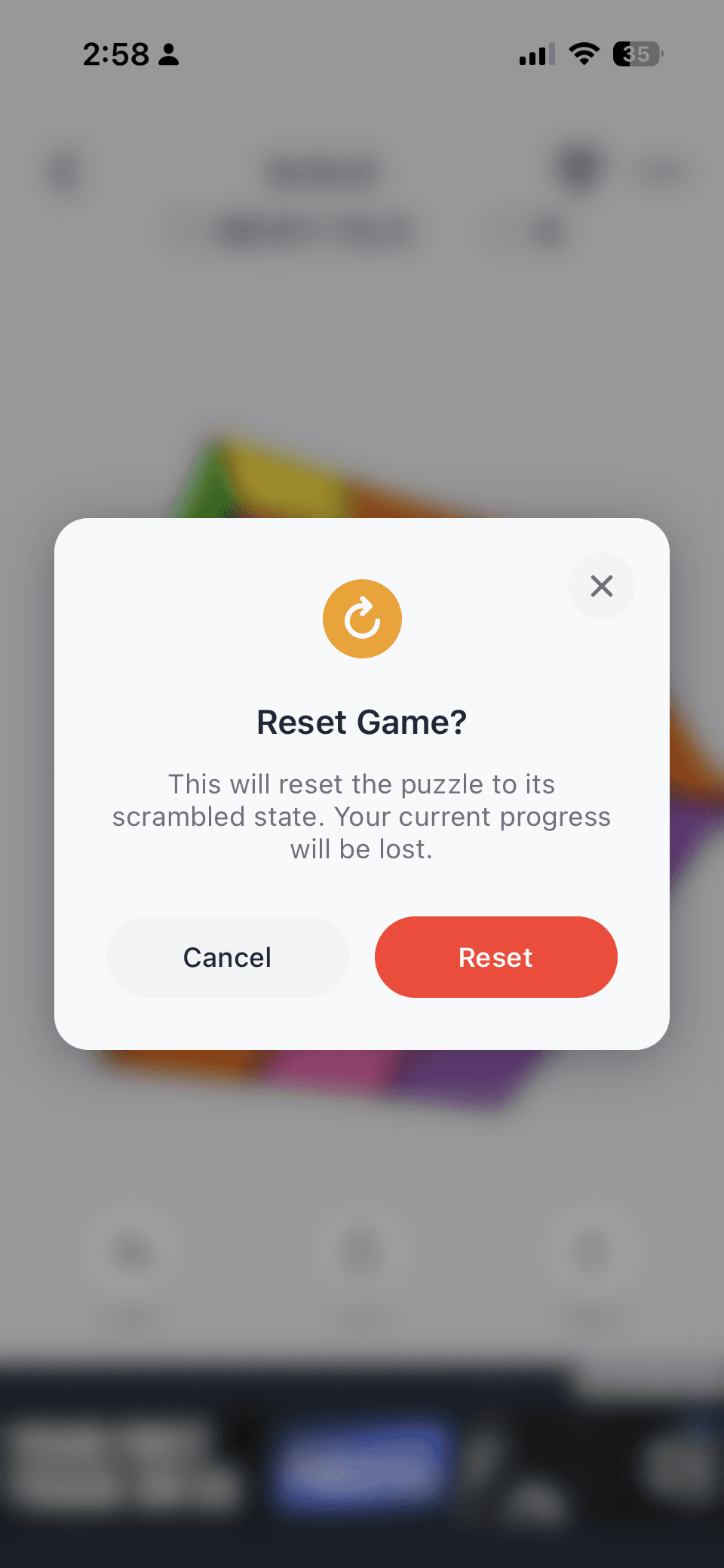
Most competitors focus on helping users solve Rubik's Cubes through tutorials, algorithms, timers, and solving tools. While these platforms are highly functional, many prioritize utility over engagement and often lack a streamlined, mobile-friendly experience. This revealed an opportunity to create a responsive, game-focused experience that makes practicing and playing with a virtual cube more intuitive, accessible, and enjoyable for both new and experienced users.
key design decisions
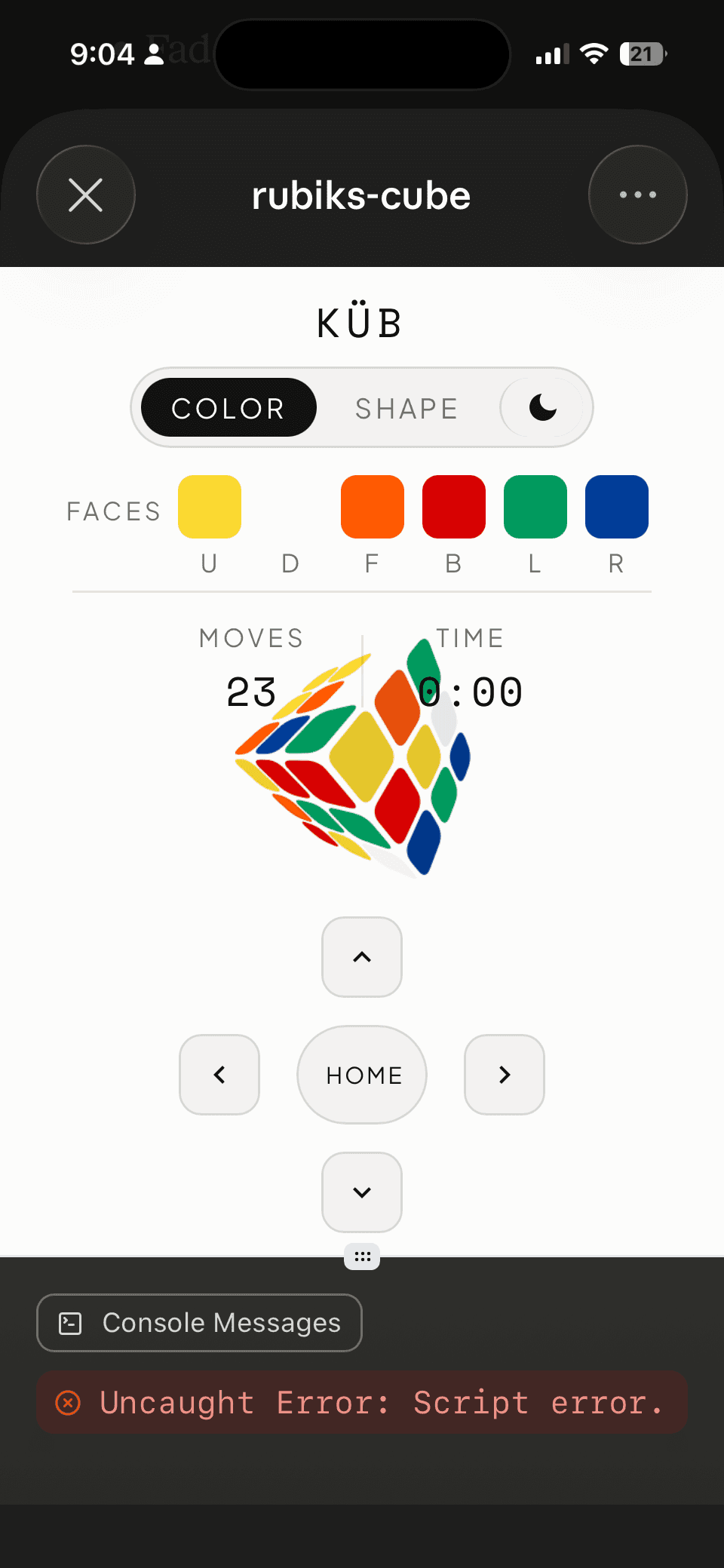
Interaction model Drag on a piece to rotate that slice. Drag outside the cube to orbit. It's a simple rule that clicks the moment you discover it. Getting the math right required translating the drag direction from screen space back into cube space, the obvious approach produced wrong results at certain camera angles.
Interaction model Drag on a piece to rotate that slice. Drag outside the cube to orbit. It's a simple rule that clicks the moment you discover it. Getting the math right required translating the drag direction from screen space back into cube space, the obvious approach produced wrong results at certain camera angles.
Feel over function Orbit inertia lets the cube coast after you release it. Slices snap smoothly to 90 degrees. Small details that make the experience feel physical rather than mechanical.
Feel over function Orbit inertia lets the cube coast after you release it. Slices snap smoothly to 90 degrees. Small details that make the experience feel physical rather than mechanical.
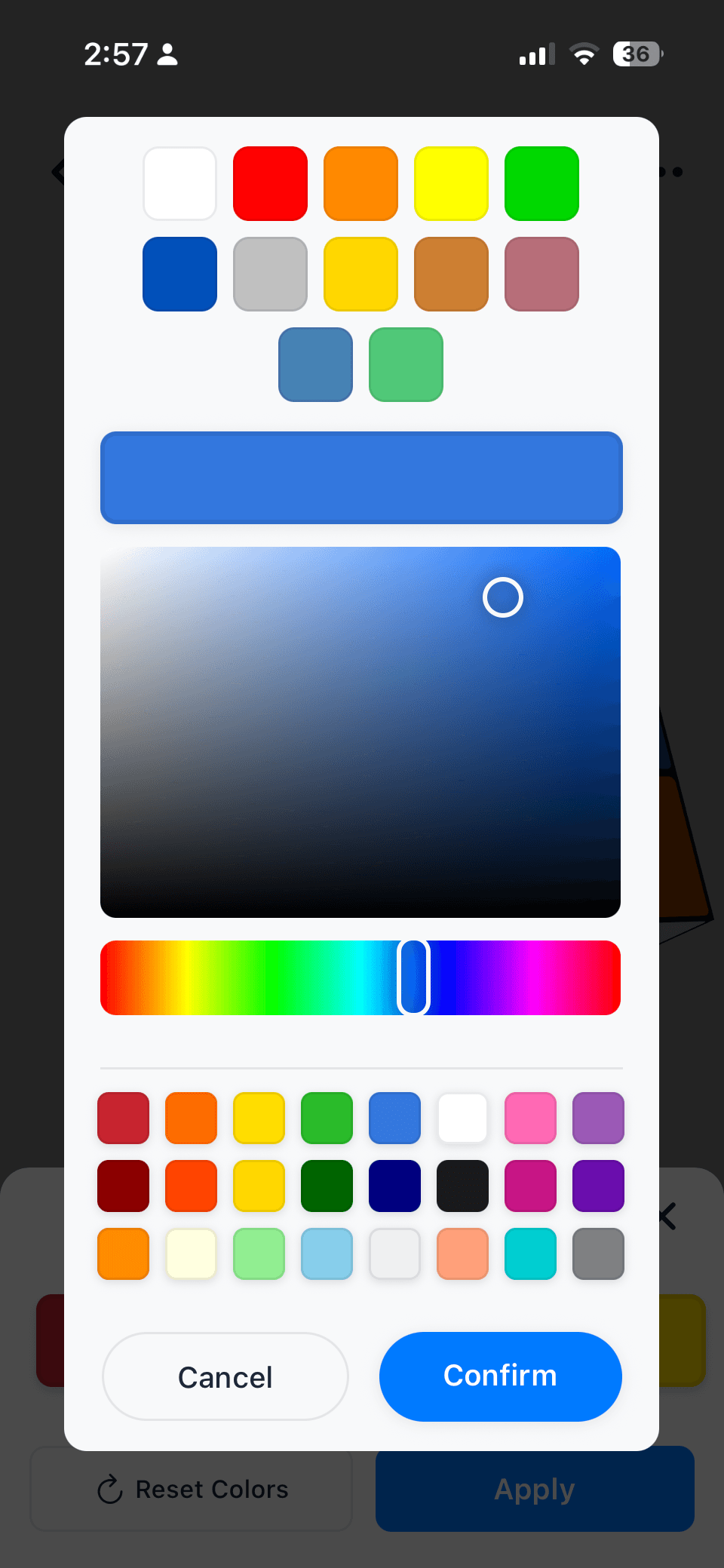
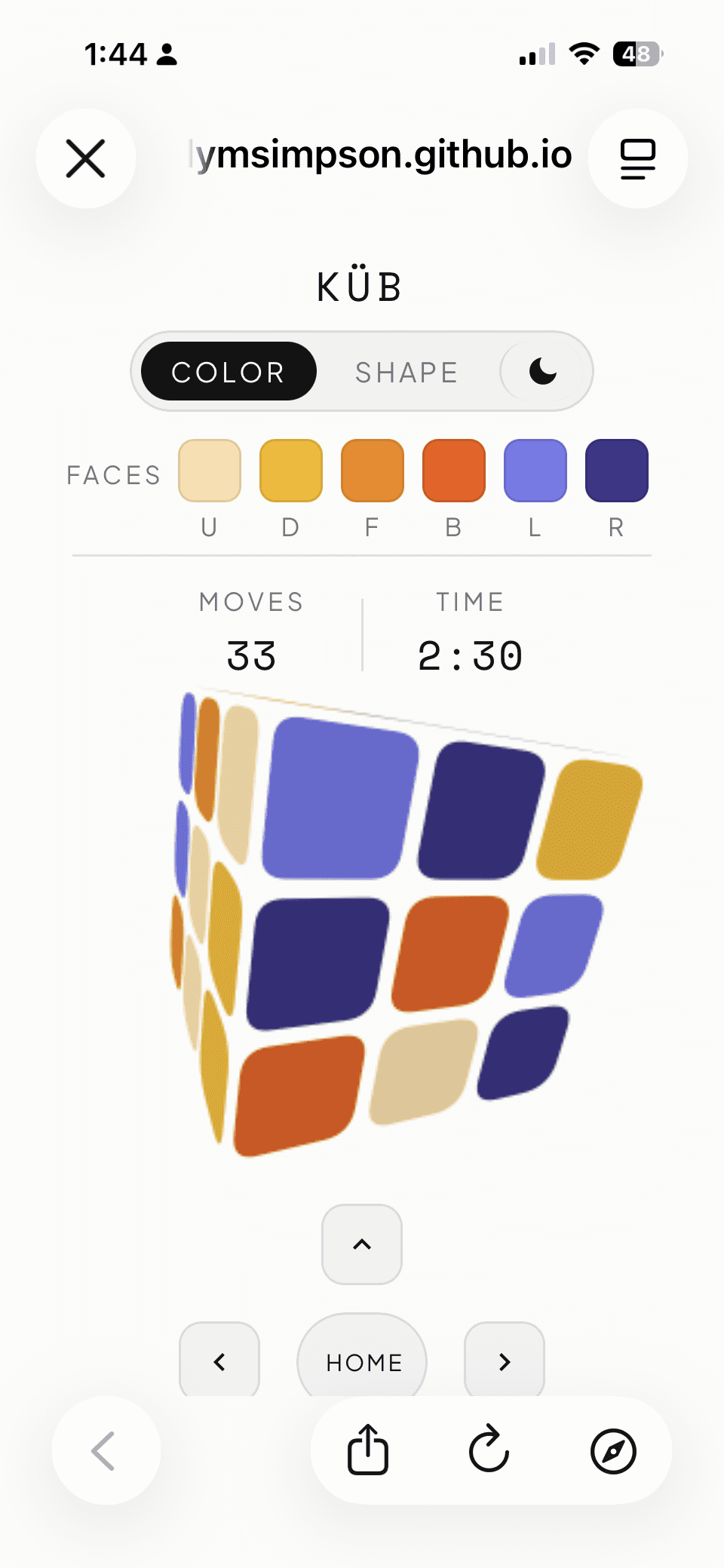
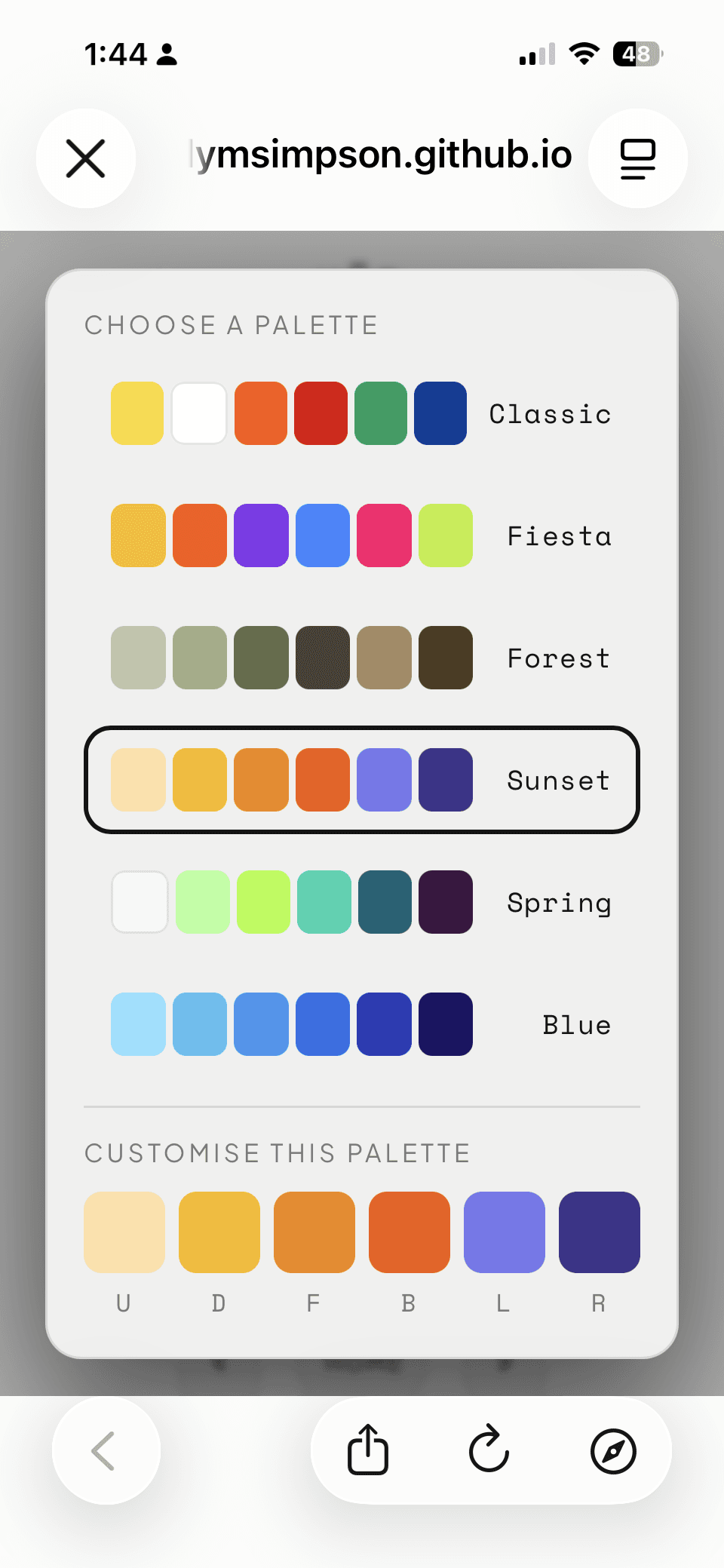
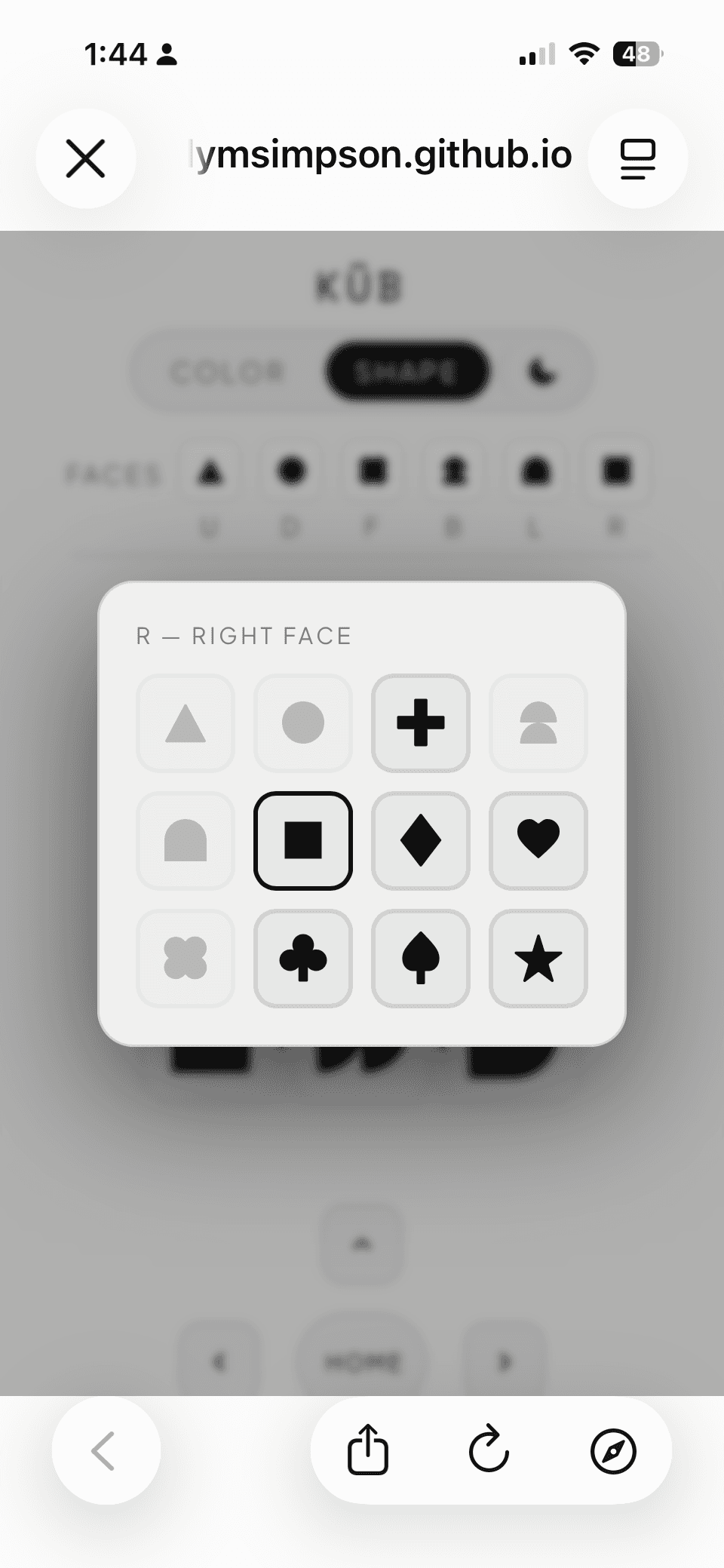
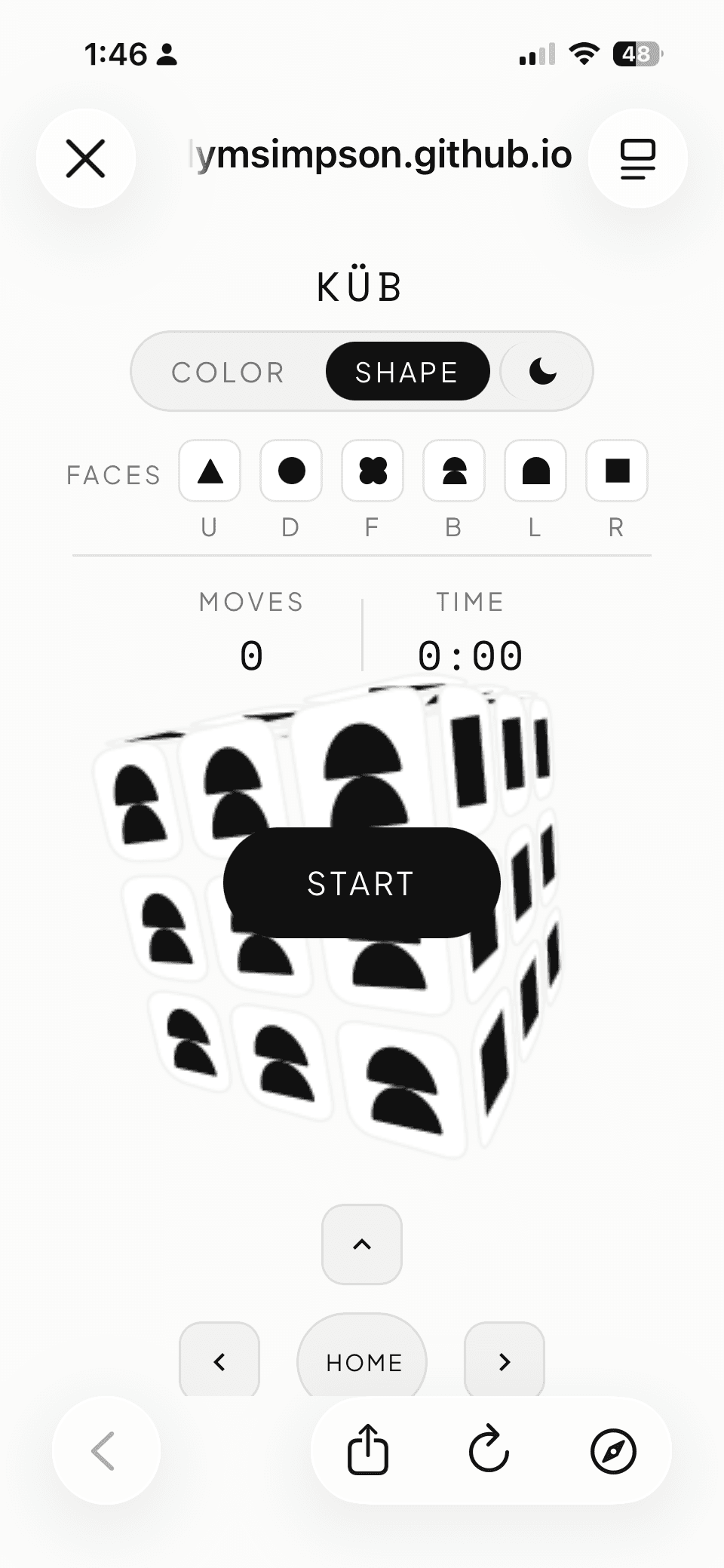
Accessibility and customization Instead of the traditional six colors, users can switch between a custom color palette and a shape mode. The motivation was partly accessibility as shapes mean people with color blindness can still distinguish every face. It also makes the experience more fun and personal.
Accessibility and customization Instead of the traditional six colors, users can switch between a custom color palette and a shape mode. The motivation was partly accessibility as shapes mean people with color blindness can still distinguish every face. It also makes the experience more fun and personal.
the outcome
A fully interactive 3D Rubik's cube built from scratch, uploaded to GitHub on my portfolio site. Proof that you can build something genuinely interesting, unique, and technically ambitious with AI as long as you bring UX thinking to the process.
Play it here or watch me play.

Next steps
Conduct usability testing with first-time users
Observe 5 participants completing key tasks to identify friction points, validate interaction patterns, and determine whether onboarding or additional affordances are needed.Optimize responsive layouts across devices
Refine the mobile and desktop experiences to ensure all primary controls, game information, and cube interactions remain accessible within a single viewport without requiring scrolling.Expand gameplay with additional modes
Introduce Move Count and Challenge modes to create new ways to engage with the cube beyond traditional timed solving and encourage repeat play.Develop customization into a core product feature
Explore expanded personalization options, including custom palettes, accessibility-focused themes, and saved presets, transforming customization from a utility into a defining product experience.
KÜB
KÜB
A vibe coded interactive 3D Rubik's cube.
duration
1 week
tools
Claude / Figma
my role
UX Designer, Creative Director
KÜB
A vibe coded interactive 3D Rubik's cube.
savr
A smart activity discovery app for LA parents
duration
1 week
tools
Figma / DALL-E / Pen & Paper
my role
Solo student project for Springboard UX Bootcamp X Bitesize UX
The Rubik's cube has been captivating people for decades, which made it the perfect canvas for a portfolio piece. The goal was to demonstrate real 3D interaction design skill.
How do you make a 3D object feel physical to someone touching a flat screen with no coding experience and no external 3D libraries?
The Rubik's cube has been captivating people for decades, which made it the perfect canvas for a portfolio piece. The goal was to demonstrate real 3D interaction design skill.
How do you make a 3D object feel physical to someone touching a flat screen with no coding experience and no external 3D libraries?
I used Claude to work through the technical implementation: projection, lighting, hit detection, and slice rotation, but every design decision was mine to define. What interaction model feels intuitive? What makes this feel good, not just correct?
The competitors
Ruwix
Ruwix is a long-standing educational platform that combines tutorials, solvers, timers, and puzzle simulators. While it offers extensive learning resources, its interface prioritizes functionality over a modern, game-focused experience.
Cubzor
Cubzor provides a modern browser-based cube experience that combines virtual cube play, solving tools, and guided learning. Its streamlined interface and responsive design make it one of the strongest web-based competitors.
Cube Solver
Cube Solver is a mobile-first application that helps users solve physical Rubik's Cubes through camera scanning and step-by-step instructions. Its focus is on utility and solving assistance rather than interactive gameplay.
key take aways
Most competitors focus on helping users solve Rubik's Cubes through tutorials, algorithms, timers, and solving tools. While these platforms are highly functional, many prioritize utility over engagement and often lack a streamlined, mobile-friendly experience. This revealed an opportunity to create a responsive, game-focused experience that makes practicing and playing with a virtual cube more intuitive, accessible, and enjoyable for both new and experienced users.
key design decisions
Interaction model Drag on a piece to rotate that slice. Drag outside the cube to orbit. It's a simple rule that clicks the moment you discover it. Getting the math right required translating the drag direction from screen space back into cube space, the obvious approach produced wrong results at certain camera angles.
Interaction model Drag on a piece to rotate that slice. Drag outside the cube to orbit. It's a simple rule that clicks the moment you discover it. Getting the math right required translating the drag direction from screen space back into cube space, the obvious approach produced wrong results at certain camera angles.
Feel over function Orbit inertia lets the cube coast after you release it. Slices snap smoothly to 90 degrees. Small details that make the experience feel physical rather than mechanical.
Feel over function Orbit inertia lets the cube coast after you release it. Slices snap smoothly to 90 degrees. Small details that make the experience feel physical rather than mechanical.
Accessibility and customization Instead of the traditional six colors, users can switch between a custom color palette and a shape mode. The motivation was partly accessibility as shapes mean people with color blindness can still distinguish every face. It also makes the experience more fun and personal.
Accessibility and customization Instead of the traditional six colors, users can switch between a custom color palette and a shape mode. The motivation was partly accessibility as shapes mean people with color blindness can still distinguish every face. It also makes the experience more fun and personal.
the outcome
A fully interactive 3D Rubik's cube built from scratch, uploaded to GitHub on my portfolio site. Proof that you can build something genuinely interesting, unique, and technically ambitious with AI as long as you bring UX thinking to the process.
Play it here or watch me play.
Next steps
Conduct usability testing with first-time users
Observe 5 participants completing key tasks to identify friction points, validate interaction patterns, and determine whether onboarding or additional affordances are needed.Optimize responsive layouts across devices
Refine the mobile and desktop experiences to ensure all primary controls, game information, and cube interactions remain accessible within a single viewport without requiring scrolling.Expand gameplay with additional modes
Introduce Move Count and Challenge modes to create new ways to engage with the cube beyond traditional timed solving and encourage repeat play.Develop customization into a core product feature
Explore expanded personalization options, including custom palettes, accessibility-focused themes, and saved presets, transforming customization from a utility into a defining product experience.
KÜB
KÜB
A vibe coded interactive 3D Rubik's cube.
duration
1 week
tools
Claude / Figma
my role
UX Designer, Creative Director
KÜB
A vibe coded interactive 3D Rubik's cube.
savr
A smart activity discovery app for LA parents
duration
1 week
tools
Figma / DALL-E / Pen & Paper
my role
Solo student project for Springboard UX Bootcamp X Bitesize UX
The Rubik's cube has been captivating people for decades, which made it the perfect canvas for a portfolio piece. The goal was to demonstrate real 3D interaction design skill.
How do you make a 3D object feel physical to someone touching a flat screen with no coding experience and no external 3D libraries?
The Rubik's cube has been captivating people for decades, which made it the perfect canvas for a portfolio piece. The goal was to demonstrate real 3D interaction design skill.
How do you make a 3D object feel physical to someone touching a flat screen with no coding experience and no external 3D libraries?
I used Claude to work through the technical implementation: projection, lighting, hit detection, and slice rotation, but every design decision was mine to define. What interaction model feels intuitive? What makes this feel good, not just correct?
The competitors
Ruwix
Ruwix is a long-standing educational platform that combines tutorials, solvers, timers, and puzzle simulators. While it offers extensive learning resources, its interface prioritizes functionality over a modern, game-focused experience.
Cubzor
Cubzor provides a modern browser-based cube experience that combines virtual cube play, solving tools, and guided learning. Its streamlined interface and responsive design make it one of the strongest web-based competitors.
Cube Solver
Cube Solver is a mobile-first application that helps users solve physical Rubik's Cubes through camera scanning and step-by-step instructions. Its focus is on utility and solving assistance rather than interactive gameplay.
key take aways
Most competitors focus on helping users solve Rubik's Cubes through tutorials, algorithms, timers, and solving tools. While these platforms are highly functional, many prioritize utility over engagement and often lack a streamlined, mobile-friendly experience. This revealed an opportunity to create a responsive, game-focused experience that makes practicing and playing with a virtual cube more intuitive, accessible, and enjoyable for both new and experienced users.
key design decisions
Interaction model Drag on a piece to rotate that slice. Drag outside the cube to orbit. It's a simple rule that clicks the moment you discover it. Getting the math right required translating the drag direction from screen space back into cube space, the obvious approach produced wrong results at certain camera angles.
Interaction model Drag on a piece to rotate that slice. Drag outside the cube to orbit. It's a simple rule that clicks the moment you discover it. Getting the math right required translating the drag direction from screen space back into cube space, the obvious approach produced wrong results at certain camera angles.
Feel over function Orbit inertia lets the cube coast after you release it. Slices snap smoothly to 90 degrees. Small details that make the experience feel physical rather than mechanical.
Feel over function Orbit inertia lets the cube coast after you release it. Slices snap smoothly to 90 degrees. Small details that make the experience feel physical rather than mechanical.
Accessibility and customization Instead of the traditional six colors, users can switch between a custom color palette and a shape mode. The motivation was partly accessibility as shapes mean people with color blindness can still distinguish every face. It also makes the experience more fun and personal.
Accessibility and customization Instead of the traditional six colors, users can switch between a custom color palette and a shape mode. The motivation was partly accessibility as shapes mean people with color blindness can still distinguish every face. It also makes the experience more fun and personal.
the outcome
A fully interactive 3D Rubik's cube built from scratch, uploaded to GitHub on my portfolio site. Proof that you can build something genuinely interesting, unique, and technically ambitious with AI as long as you bring UX thinking to the process.
Play it here or watch me play.
Next steps
Conduct usability testing with first-time users
Observe 5 participants completing key tasks to identify friction points, validate interaction patterns, and determine whether onboarding or additional affordances are needed.Optimize responsive layouts across devices
Refine the mobile and desktop experiences to ensure all primary controls, game information, and cube interactions remain accessible within a single viewport without requiring scrolling.Expand gameplay with additional modes
Introduce Move Count and Challenge modes to create new ways to engage with the cube beyond traditional timed solving and encourage repeat play.Develop customization into a core product feature
Explore expanded personalization options, including custom palettes, accessibility-focused themes, and saved presets, transforming customization from a utility into a defining product experience.